Services & pricing
Create the treatments you offer, set durations and prices, and configure cancellation policies and per-service notifications.
Last updated: 2026-04-19
Why services matter
Services are the foundation of your Bellafy setup. Everything — bookings, vouchers, loyalty rewards, and reports — is built around them. Without at least one service, your clients have nothing to book.
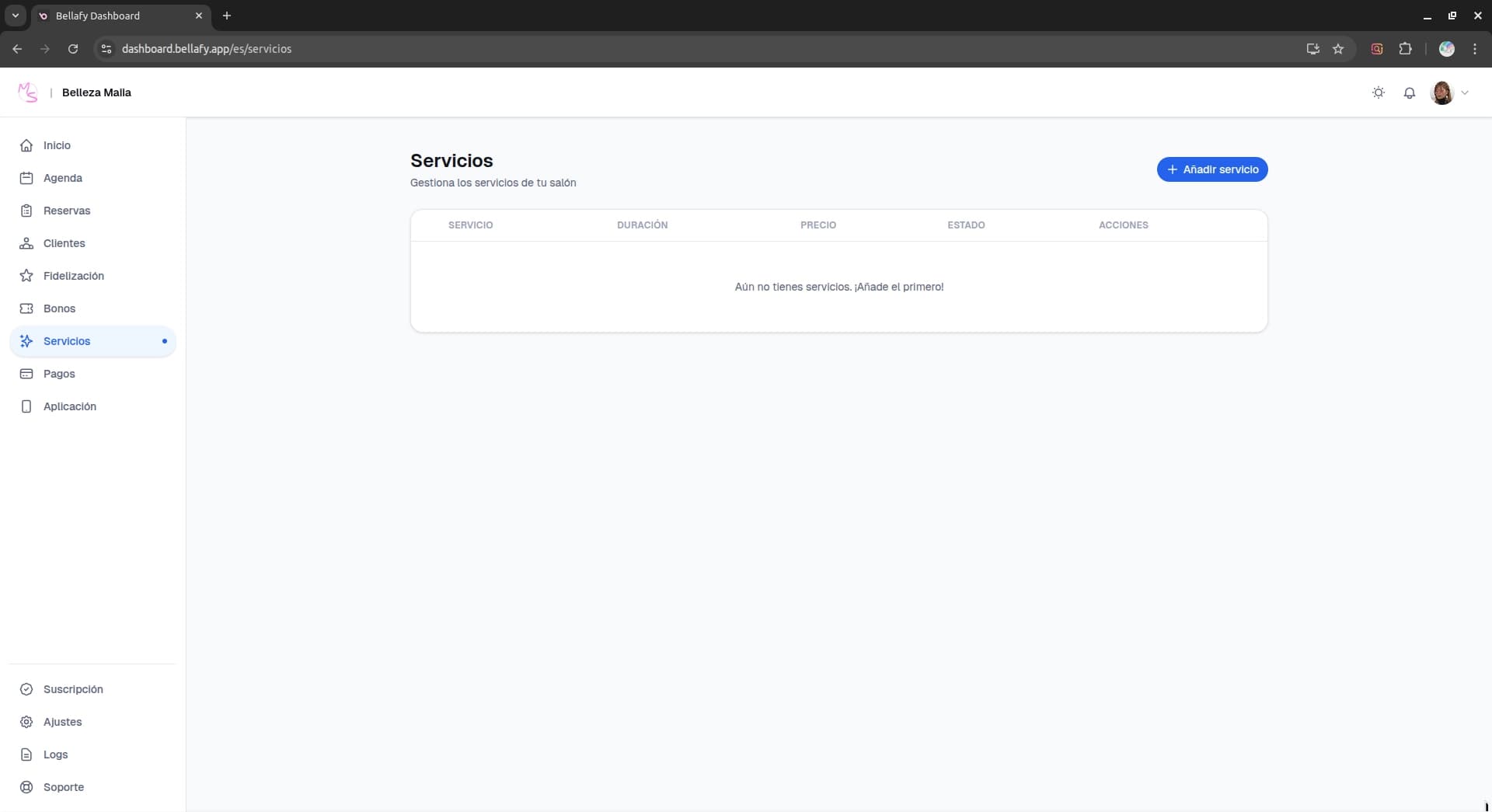
Creating a service
Click "New service"
From the Services page, click the "New service" button in the top right corner. The creation form opens as a side panel.
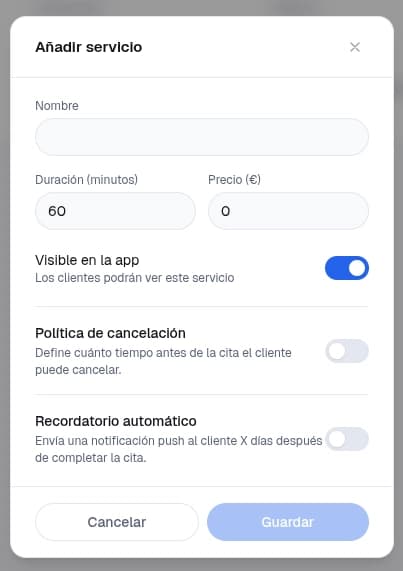
Fill in the basics
Name, duration (in minutes), and price. The duration is what Bellafy uses to block the calendar — a 60-minute service occupies a 60-minute slot in your agenda.
Add a description (optional)
A 1–2 sentence description shown to clients when they're about to book. Great for explaining what's included, what to bring, or any pre-treatment instructions.
Group it into a category (optional)
If you offer many services, categories keep the PWA tidy. Examples: "Facials", "Massages", "Manicure". Clients see services grouped by category on the booking screen.
Cancellation policies
Every service has its own cancellation policy. This is where you protect your agenda from no-shows and last-minute cancellations.
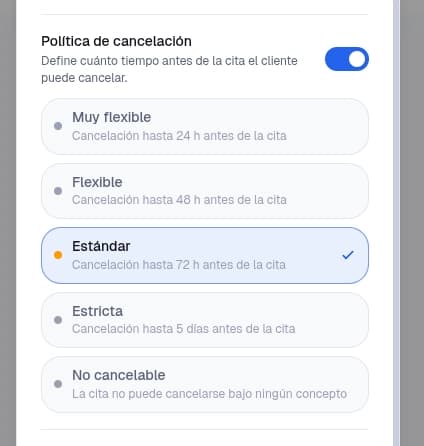
- Cancellation window: how far ahead a client must cancel to receive a full refund of their deposit (for example, 24 hours).
- Deposit amount: a fixed amount or a percentage of the price. Charged at booking and refunded if the client cancels within the window.
- Refund behavior: full refund, partial refund, or no refund for cancellations outside the window.
Per-service notifications
Each service can have its own automated reminder sent to the client before the appointment — by email and/or push notification.
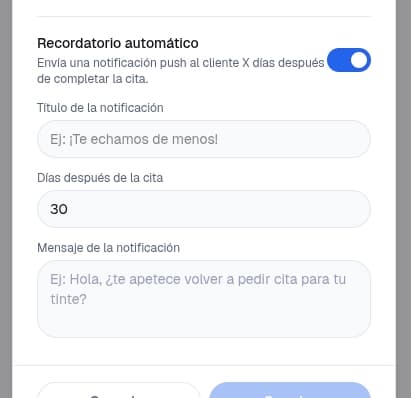
- Reminder timing: how long before the appointment the notification is sent (e.g., 24h, 2h, or both).
- Message: a short text with optional tokens like {clientName} and {appointmentTime}.
- Channels: email, push, or both. Push requires the client to have installed the PWA and accepted notifications.
Tips from clinics that book out
- Round durations to multiples of 15 minutes — it keeps your calendar tidy and easier to read.
- Use categories if you have more than 6 services. Flat lists become overwhelming on phones.
- Always set a deposit on high-demand services. A small €10 deposit cuts no-shows by more than half in most clinics.
- Write the description as if you were talking to a first-time client who doesn't know your work.