Your clients' app
Customize the Progressive Web App your clients use to book: branding, themes, banners, and business information.
Last updated: 2026-04-19
What is the clients' app
Every Bellafy clinic gets its own Progressive Web App (PWA) at a unique URL — something like bellafy.app/c/your-clinic. This is where your clients book appointments, buy vouchers, earn loyalty points, and receive push notifications.
The PWA carries your branding, not ours. Your clients install it to their phone's home screen in two taps, and from then on it behaves exactly like a native app — icon, splash screen, full-screen mode, and all.
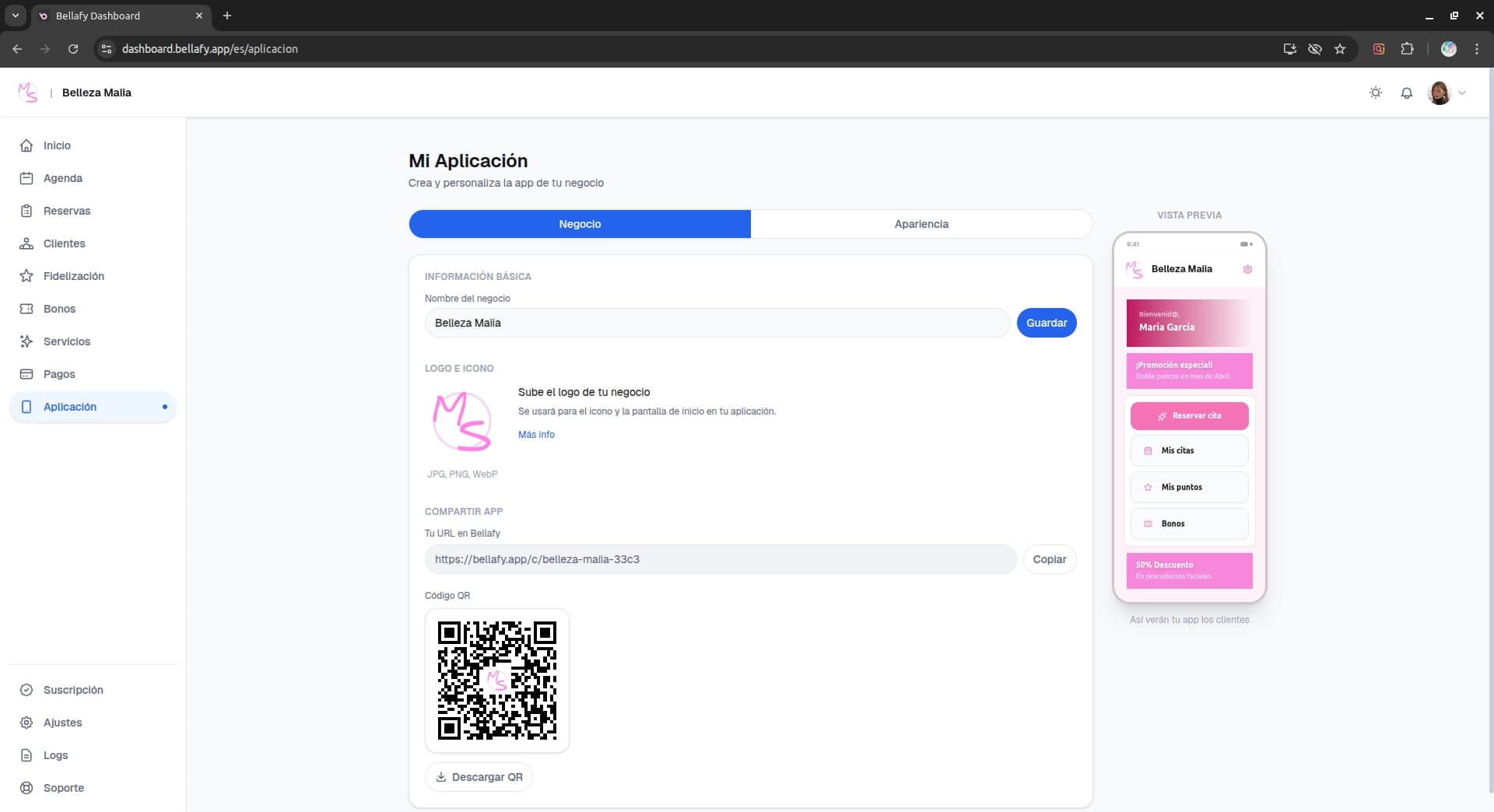
Business information
Start by filling in the basics your clients need to find and trust you: clinic name, logo, address, phone number, and a short description. All of it shows up on the home screen of your PWA.
- Name: what appears at the top of the PWA and on push notifications.
- Logo: square PNG or WebP, at least 512×512 pixels. This becomes the app icon when clients install it.
- Address: used to generate a "Get directions" link that opens their default maps app.
- Phone: tappable on mobile to call directly.
- Description: 1–2 sentences about your clinic, shown on the welcome screen.
Theme and colors
Pick a theme that matches your brand. Bellafy ships with four curated themes — Ocean (sky), Rose, Emerald, and Slate — each carefully balanced for readability and accessibility.
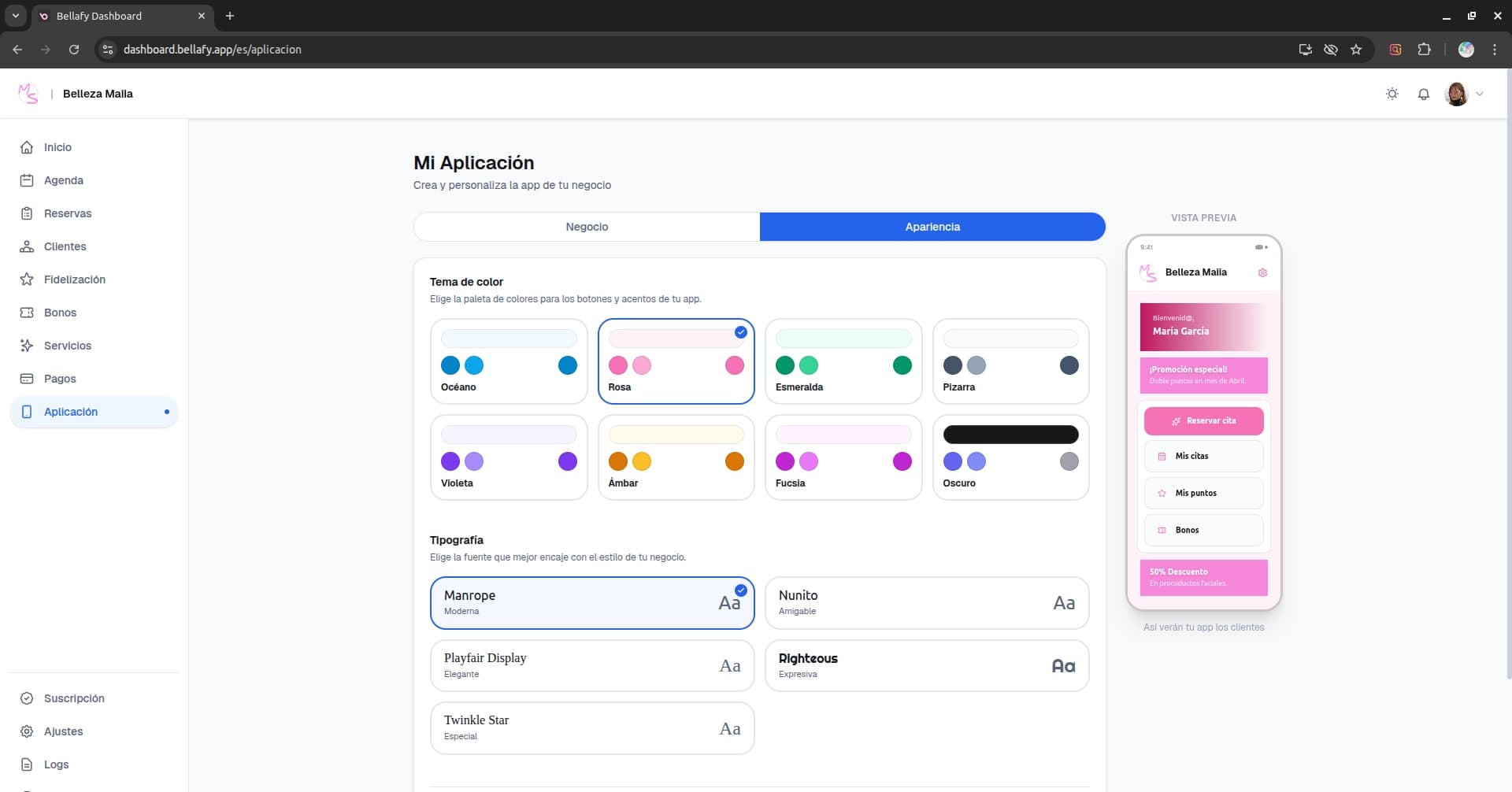
The theme you pick affects primary buttons, highlights, and accents throughout the PWA. The change is instant — your clients will see the new theme next time they open the app.
Promotional banners
Banners are the big visual slots on the PWA home screen. Use them to announce promotions, launch new services, or highlight your loyalty program.
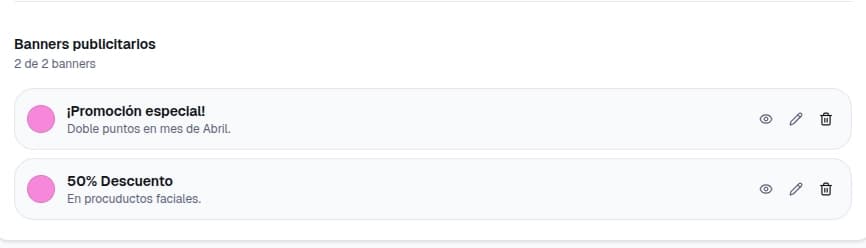
Create a banner
Click "New banner", pick an image, and add a short title and subtitle. Keep text minimal — the image does most of the work.
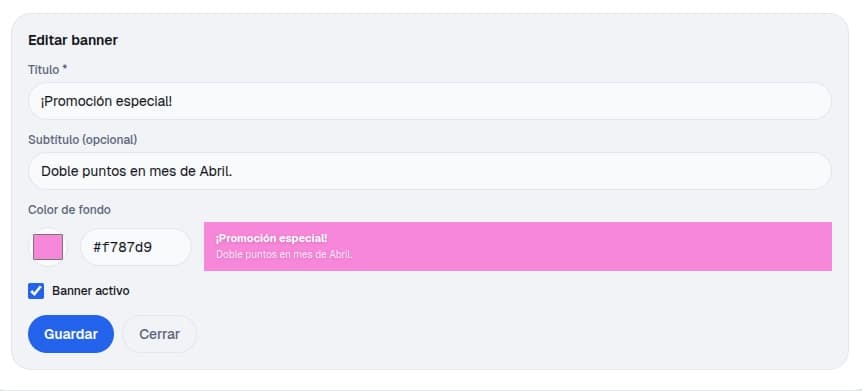
Choose what it links to
A banner can link to a specific service, a voucher page, or an external URL. If you link to a service, tapping the banner takes the client directly to the booking flow.
Schedule it
Banners can be scheduled with a start and end date. This is useful for seasonal promotions — set it and forget it, the banner disappears automatically when the promo ends.