Activity logs
A chronological record of every important action in your clinic — useful for audits, team accountability, and troubleshooting.
Last updated: 2026-04-19
What activity logs are
Activity logs are a timestamped record of every meaningful action that happens in your Bellafy account — bookings created or cancelled, payments processed, services edited, logins, and more.
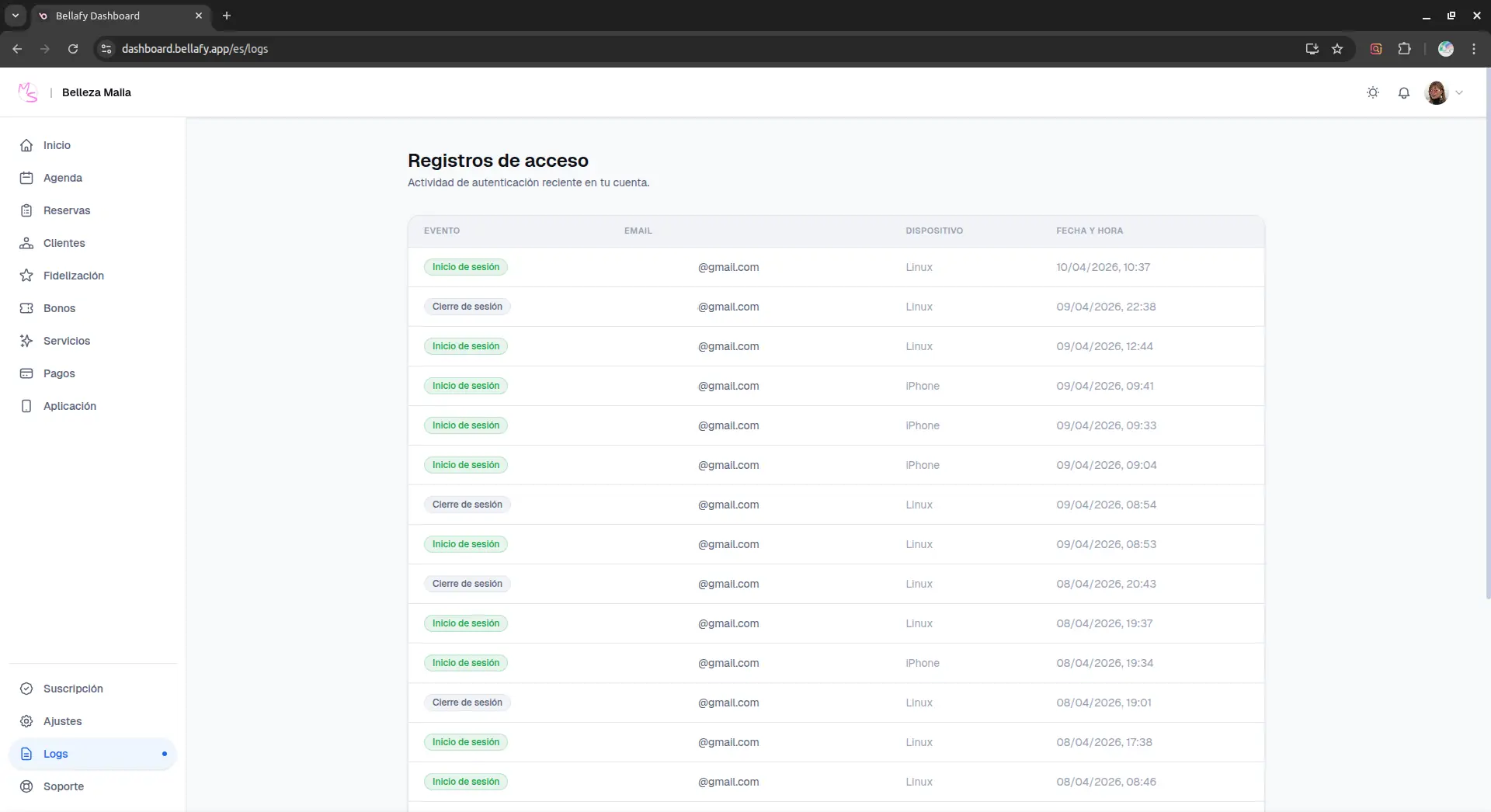
Logs are read-only. You cannot edit or delete entries, which is the point — they exist to give you an honest, immutable trail of what happened.
What gets logged
- Bookings: created, rescheduled, cancelled, marked as completed or no-show.
- Payments: successful charges, failed attempts, refunds (automatic and manual).
- Vouchers: purchased, redeemed, expired.
- Services and schedule: created, edited, deleted.
- Clients: created manually, deleted, anonymized (either by you or by the client themselves).
- Account: logins, password changes, 2FA enabled or disabled, session revocations.
- Loyalty: points awarded, coupons redeemed, rewards created or edited.
Reading a log entry
Each entry shows what happened, when, and who did it.
- Timestamp: the exact date and time in your clinic's time zone.
- Actor: which user performed the action. If it was performed by the system (for example, an automatic refund triggered by a cancellation policy), it's labeled "System".
- Action: a short description — "Cancelled reservation", "Created service", "Refunded charge".
- Target: the entity affected — a booking ID, a client name, a service name.
- Context: additional details when relevant — the amount refunded, the original vs. new time of a reschedule, the IP address for logins.
When to use the logs
- A client claims they didn't cancel their booking — the log shows exactly when the cancellation happened and from which device.
- A team member accidentally deleted a service — the log shows who did it and when, making recovery clear and blameless.
- You need to investigate a suspicious login — the log shows every sign-in with IP and device.
- You're reconciling a refund with Stripe — the log shows the exact time and amount Bellafy recorded for every payment event.
- During a tax audit — the log is a supplementary record alongside your Stripe history.
Retention and export
Logs are retained for the full lifetime of your account. You can filter by date range, actor, or action type, and export the filtered list as CSV for external review or archival.